




This article is part of a series presenting the use of various Indicators available in MT4, MT5, and Tradingview. The purpose is for traders to learn how to use and choose different Indicators that suit their trading style and habits to generate profits. In this article, we unravel what Accelerator Oscillator is, how it works, and how to find trading signals… Let’s read on
*Note: I should mention that traders should read carefully as they might confuse “Accelerator” Oscillator with “Awesome” Oscillator (their names are similar)
Accelerator Oscillator is
Accelerator Oscillator is a forex indicator created and developed by technical analyst Bill Williams. It’s an extension of the classic and widely used Indicators Moving Average (MA) and Awesome Oscillator (AO), which Bill also created
The main concept of Accelerator Oscillator (AC) is an indicator that helps measure and show us the direction of momentum or trend that’s about to occur first and will affect the price later. Simply put,
When we know the direction of momentum in advance, we can predict the direction of price
How Accelerator Oscillator works
AC calculates momentum from another of Bill’s Indicators abbreviated as AO, which compares the Simple Moving Average (SMA) between the 5th and 34th candles from the latest candle (5 and 34 are standard values, can be adjusted). Subtracting SMA5 gives us this simple equation:
AO = SMA 5 – SMA 34
AC = AO – SMA 5
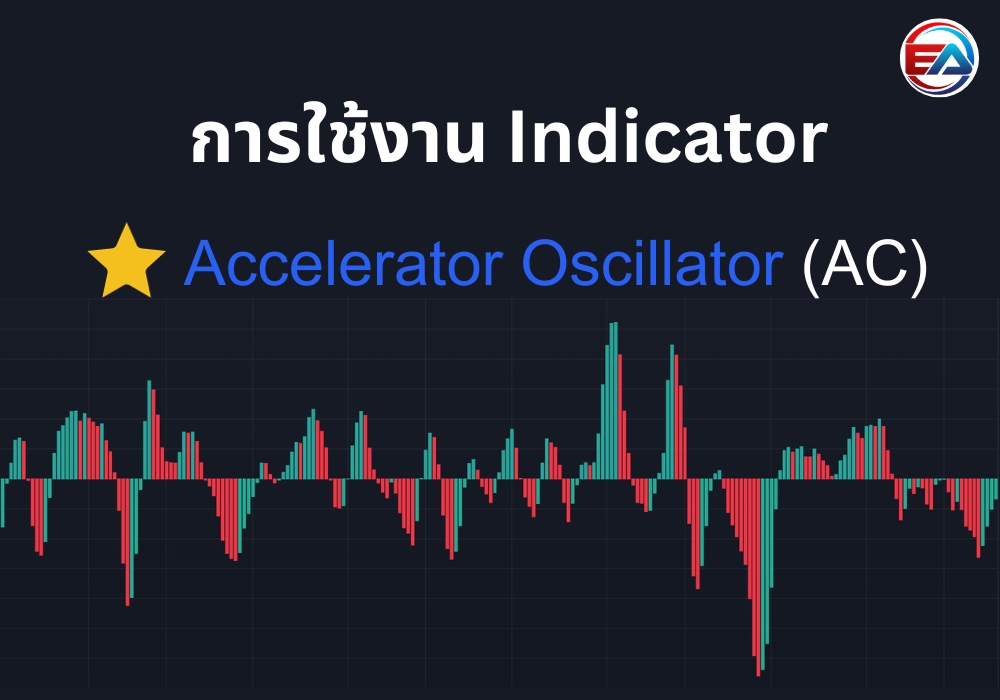
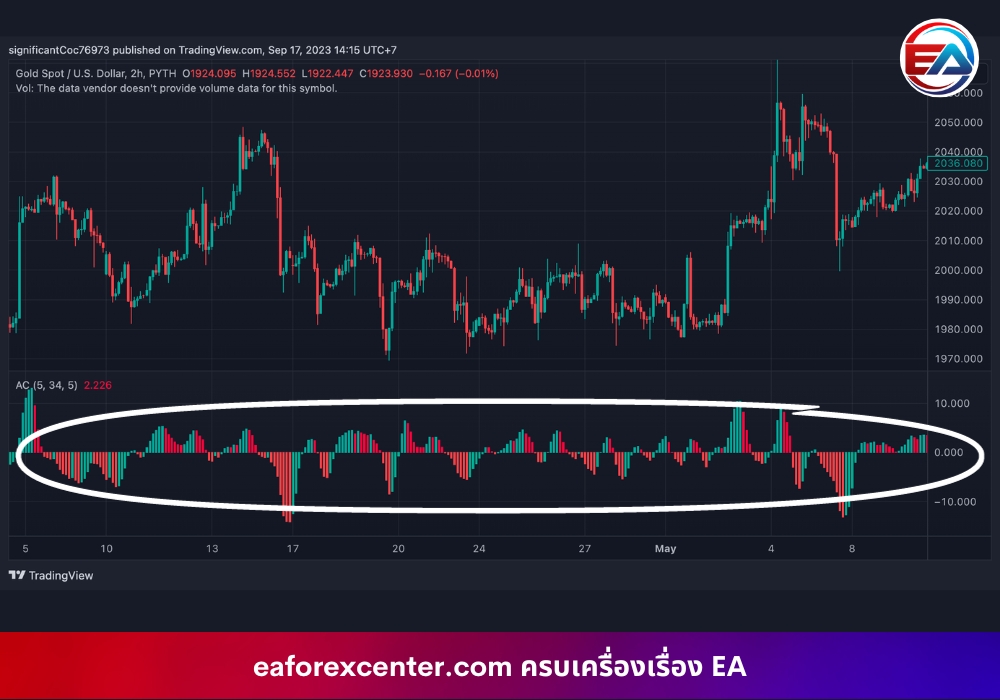
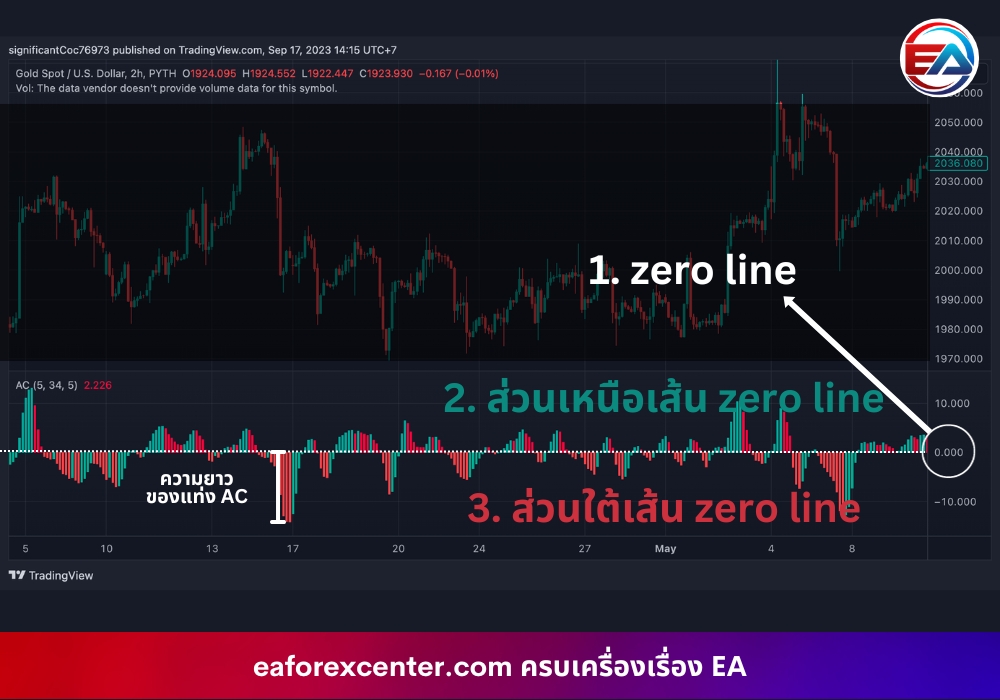
The result is displayed as a Histogram with green and red colors below the chart like this:

Reading Accelerator Oscillator
We’ll divide it into 3 parts: 1. Above the zero line (green), 2. The zero line (white), and 3. Below the zero line (red)… Basic reading is if the AC bar is green and above or slightly below the zero line, it’s a signal of buying pressure and possibly an uptrend. Conversely, if the AC bar is red and below or slightly above the zero line, it’s a signal of selling pressure, possibly a downtrend.
Another dimension that the AC Indicator tells us is the length of the Histogram bars. Their meaning is the longer the bar, the more volatility; if the bar is short, it means less volatility. So what? Longer bars mean a stronger trend tendency in that direction, making it easier to predict entry signals than shorter bars, which may change trend more easily than longer bars.
Finding signals to enter orders
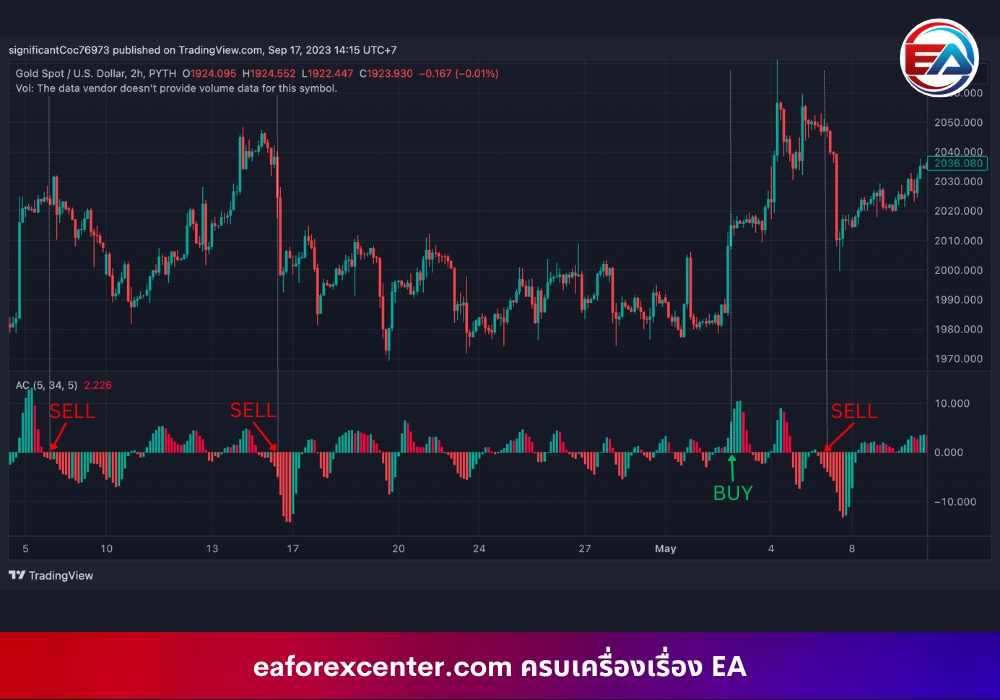
Once we know how to read basic values, we need to know when to place orders. The signal to enter an order for AC is to look for bars that are long and changing color. For example, if the momentum is in a downtrend, red bars are below the zero line, then green bars start to appear, it’s a signal for us to enter a Buy order.
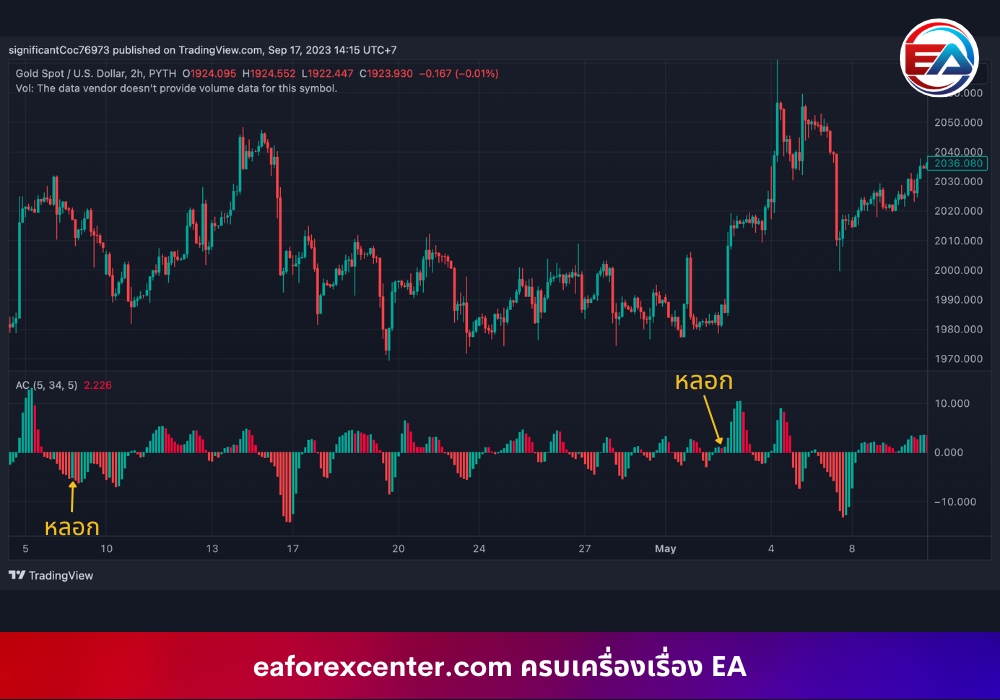
But, but, but, but there’s also something called Fake/False Signals. In AC’s case, suppose there are red bars below the zero line, we see a trend of momentum reversal, bars start turning green, so we decide to enter an order. But it turns out the next bar turns red again, making that trade go in the wrong direction.
Increasing accuracy in entering orders
To solve the problem of fake signals, there are several methods, such as:
- Wait for the same color to appear consecutively. In case of green bars above the zero line, wait for at least 2 bars before Buying. In case of red bars below the zero line, wait for 3 green bars before Buying. For Sell, do the opposite.
- Use momentum-indicating Indicators together, such as with Relative Strength Index (RSI) to find overbought, oversold points and compare with AC to see if they’re going in the same direction
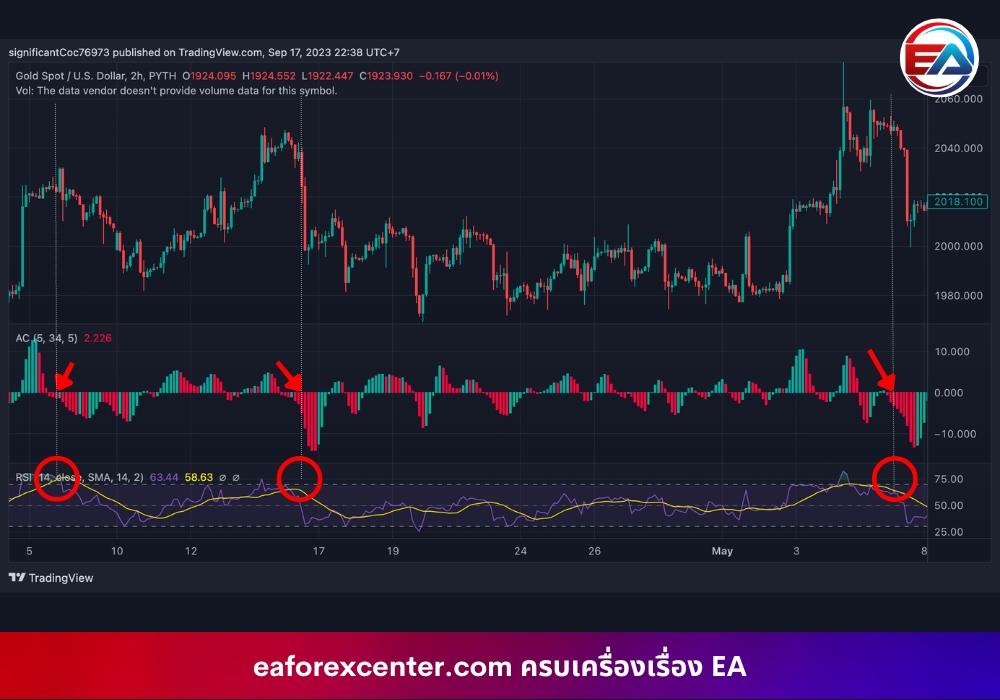
- Use support and resistance levels and Price Action to help find points where the chart might break support and resistance, and compare with AC to see if they’re going in the same direction and at what price range to take profit
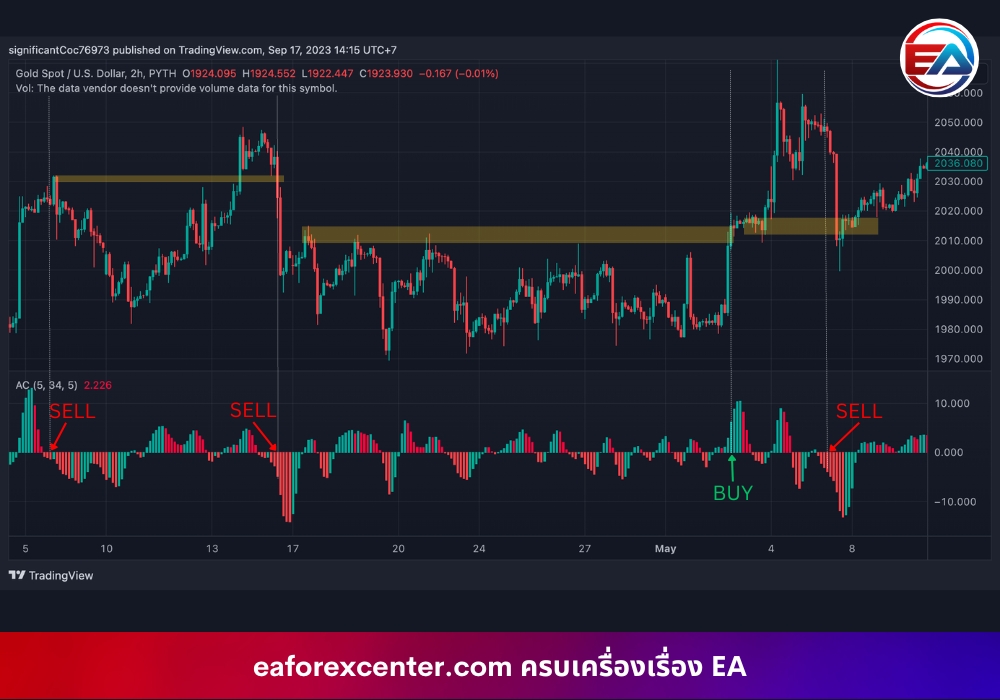
Summary
However, no Indicator can be 100% accurate. Before using Accelerator Oscillator for real trading, always Back Test first and try using it with various methods we’ve suggested to see if it can actually make a profit, meets your goals, and fits your trading style and habits.
Most importantly, don’t forget to set a Stop Loss (SL) every time you place an order because we never know if the market will go as we think. Setting SL will help prevent your portfolio from severe damage due to price dragging.
อ้างอิง
- https://www.thinkmarkets.com/en
- https://learn.tradimo.com/technical-analysis
- https://thaibrokerforex.com
Team eaforexcenter.com

Be the first to review “Accelerator Oscillator”
Related products

Reviews
There are no reviews yet.